> ## Documentation Index
> Fetch the complete documentation index at: https://getlemma.com/docs/llms.txt
> Use this file to discover all available pages before exploring further.
# Invoices
> Send invoices to bill another entity without sharing account access.
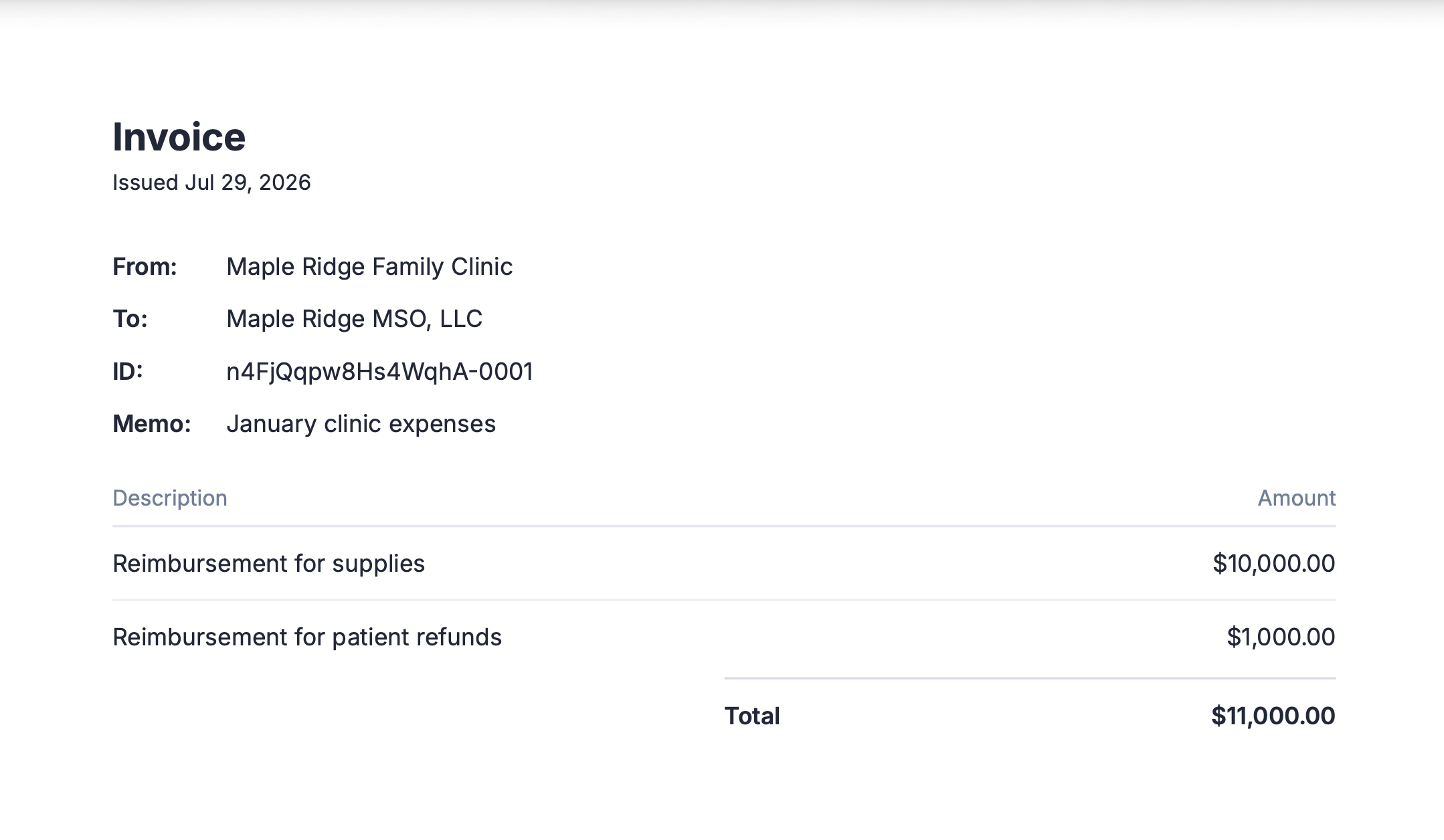
An invoice requests a payment from another entity on Lemma, without giving them access to your accounts and without you needing access to theirs. You can bill any entity in your organization, once your entities are grouped into one, or any entity you already have access to — read-only access counts. See [Invoice contacts](/docs/guides/invoice-contacts) for the full rules on who you can bill from and bill to. Go to [Invoicing](https://app.getlemma.com/_/invoicing) to send one.
## When to use an invoice instead of team access
If two entities transact often and it's fine for both sides to see the shared history, [add each other as team members](/docs/guides/team-management) so someone can move money directly. Use an invoice for the opposite case: two entities do business but neither should see the other's balances or transaction history.
For example, two independently owned practices refer patients to each other and periodically settle a referral fee. Neither wants the other to see their bank balance, so instead of sharing account access, one sends the other an invoice for the agreed amount.
Invoices are also useful when someone can propose a payment but shouldn't be able to move money themselves. A read-only member of one entity who is also an owner of another can send an invoice from the entity they own to the entity where they only have read access — the recipient's own owner still decides whether to pay it.
### Line items
Every invoice has one or more line items — a description and amount for each service or product being billed. Line items must sum to the invoice total, and they're locked once the invoice is sent so the record can't be altered afterward. Use them to give the recipient an auditable breakdown of exactly what a payment covers, instead of a single lump sum.
### Invoice numbers
Every invoice is assigned a unique invoice number so you can identify it in your accounting software.
### Attachments
Add up to ten [attachments](/docs/guides/attachments) to an invoice — the contract or agreement that justifies what you're billing for. The entity you bill can read them before deciding whether to pay, which is the difference between approving a management fee on trust and approving it against the agreement that sets it.
 ## Another way to keep control: approval rules
Invoicing lets a read-only member propose a payment without ever touching the recipient's money — the owner on the other side decides whether it goes through. If you want that same kind of oversight on transfers your own team initiates, [approval rules](/docs/guides/approval-rules) are the tool for the job: set a threshold, and any transfer above it waits for an owner's sign-off before a dollar leaves the account. Pair the two and every dollar moving in or out of your entity has a second set of eyes on it.
## Next steps
Who you can bill from and bill to.
Find invoices you've sent and cancel one that hasn't been paid.
Find invoices you've paid and download receipts.
## Another way to keep control: approval rules
Invoicing lets a read-only member propose a payment without ever touching the recipient's money — the owner on the other side decides whether it goes through. If you want that same kind of oversight on transfers your own team initiates, [approval rules](/docs/guides/approval-rules) are the tool for the job: set a threshold, and any transfer above it waits for an owner's sign-off before a dollar leaves the account. Pair the two and every dollar moving in or out of your entity has a second set of eyes on it.
## Next steps
Who you can bill from and bill to.
Find invoices you've sent and cancel one that hasn't been paid.
Find invoices you've paid and download receipts.