Require an employee to sign off on a transfer before any money leaves your account.
Approval rules add a layer of oversight to outgoing money. When a rule is in place, a transfer above the amount you set is held until an owner or CFO reviews and approves it. Use this to catch mistakes before funds move, while letting smaller, routine payments go through without friction.This applies to every way money leaves your account: ACH, wires, and other external transfers, transfers between your own Lemma accounts, and mailed checks such as patient refunds.
Enter the amount above which a transfer must be approved. Rules apply per
payment rail, so you can choose which kinds of transfers are subject to review
— for example, you can auto-approve transfers between accounts in the same
legal entity.
3
Save
Save your changes. The new rule takes effect immediately and applies to every
transfer requested from then on.
Only owners and CFOs can approve transfers. A team member with a different role can
request a transfer, but it cannot be sent until an owner or CFO approves it.
A CFO whose access is limited to specific bank accounts can only action a request if it involves at least one account they can see. For a transfer between two of your accounts, either account counts.
An owner or CFO can approve a transfer they requested themselves. Owners are the
entity’s final authority over its money, so a rule set above an owner’s own
transfers slows them down rather than controlling them, and a single-owner
entity would otherwise be waiting on a second person who doesn’t exist. Every
approval is recorded with who gave it, self-approvals included, so if you want a
second person to sign off on your own transfers, keep the threshold at a level
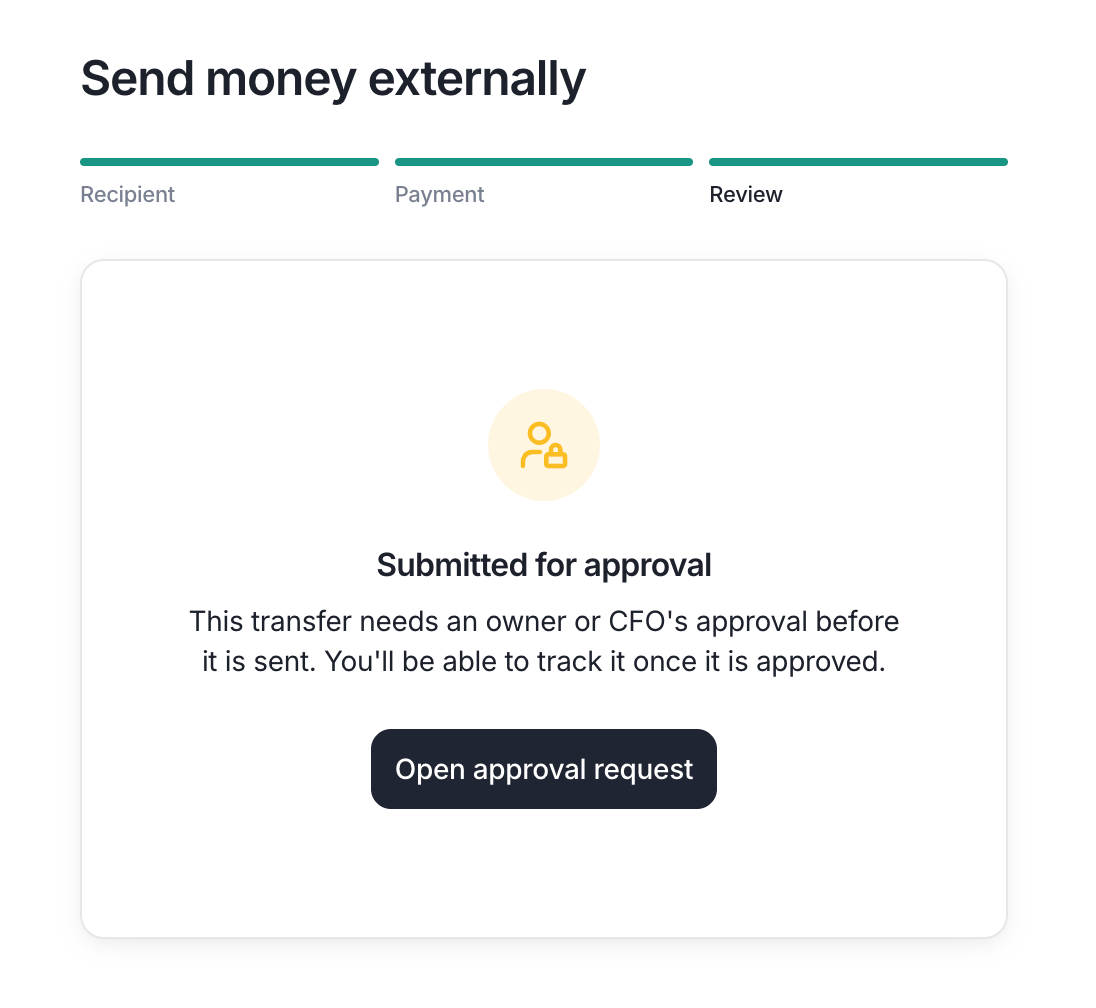
your day-to-day transfers stay under and have another owner or CFO review the rest.When a transfer crosses a rule’s threshold, it is submitted for approval instead of being sent as shown in the screenshot below.
A transfer held for approval. Owners and CFOs will see an option to self-approve.
The transfer then appears on the requests page, and Lemma emails the owners and CFOs who can approve it. A CFO limited to specific bank accounts only receives emails for requests that involve an account they can see. They can disable notification emails from the notification settings page.
1
Open the request
Go to Move Money > Requests and select the pending
transfer. You’ll see who requested it, the amount, and where the money is
going.
2
Approve or reject
As an owner or CFO, approve the request to send the transfer, or reject it to
cancel it. Approve and reject only appear on requests you can decide. A request
you’ve already decided, or one you can’t decide, opens as read-only. The funds are held while the request is pending and are released
back to your available balance if it is rejected.
A cash sweep moves money automatically on a schedule. Whenever any approval rule is active, creating or editing a sweep will require an owner’s or CFO’s approval before the sweep takes effect. Once a sweep is approved, it runs on its schedule without opening a new request each time it moves money.
Assistant
Responses are generated using AI and may contain mistakes.