

Transaction list
Each transaction shows:- Description — a summary of the transaction
- Counterparty — who you sent money to or received money from
- Amount — the transaction amount (positive for deposits, negative for withdrawals)
- Date — when the transaction occurred
Filter transactions
Use the filter bar above the transaction list to narrow the feed:- Search — match transactions by company, description, or amount
- Date — show only transactions within a date range. Set a start date, an end date, or both. Both bounds are inclusive.
- Account — limit results to one or more of your bank accounts
- Method — limit results to specific transaction methods
- Inbound/outbound — show only money in or money out
Transaction methods
Transactions come from several sources.Transaction statuses
Most transactions are posted and don’t need a status label. Anything still in flight or refused shows a colored status next to the transaction type.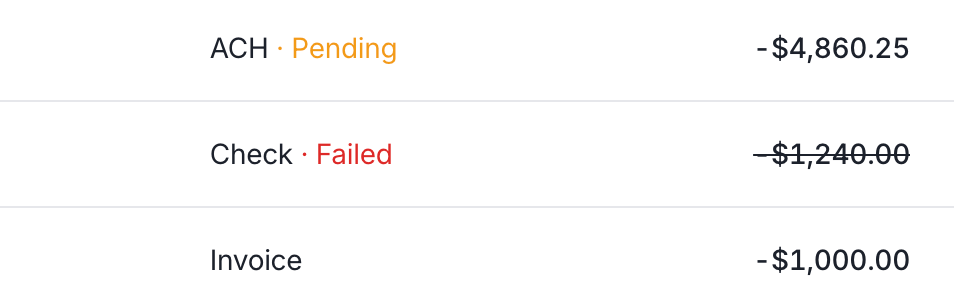
A pending outbound ACH, a failed check withdrawal, and a posted invoice payment in the transaction feed.