

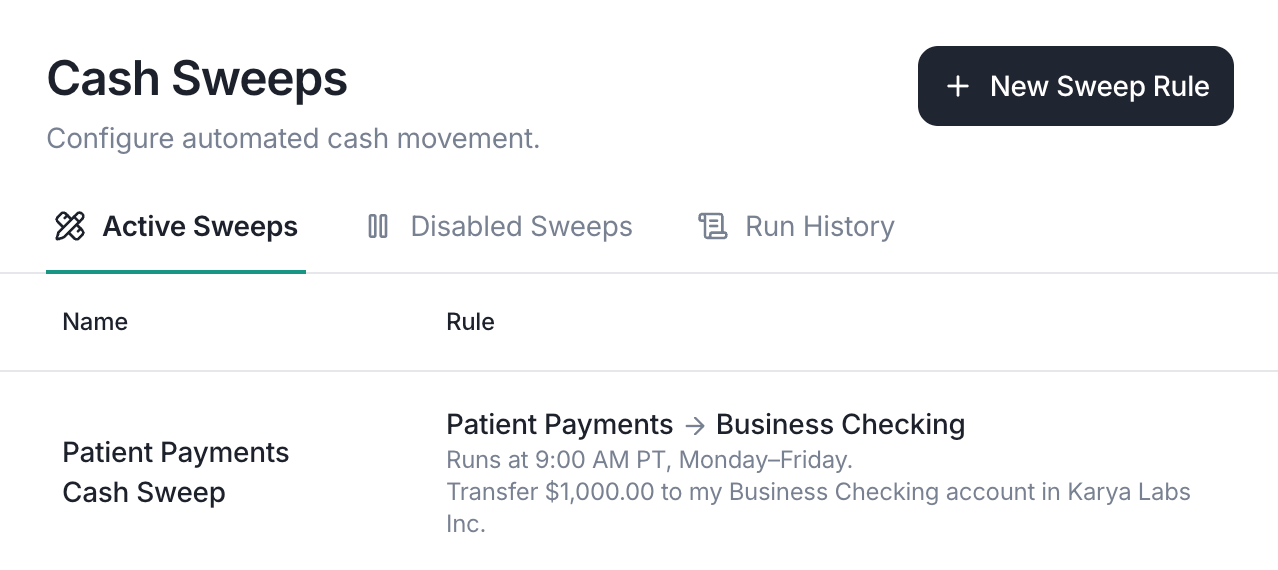
Creating a sweep rule
1
Pick an account
Select the source account to sweep from and name your rule.
2
Configure the rule
Lemma supports three sweep methods: keep a minimum balance and sweep the
excess, send a fixed amount each run, or send a percentage of the balance.
3
Choose the destination
Choose whether funds go to another Lemma account or an external recipient.
4
Set the schedule
Choose whether the rule runs weekly or monthly, then pick what times of day
to check the balance.
5
Add details
Optionally pick a transaction category and upload supporting documents.
See Categories and documents.
6
Review and create
Click Create Sweep Rule. You can always edit your rule later if you made a
mistake.
When to use sweeps
- MSO-PC fund distribution: an MSO collects insurance payments centrally, then sweeps each PC’s share to their dedicated account at the end of each day
- Passthrough accounts: a lockbox account receives all inbound checks, then sweeps the balance to your operating account after keeping a small reserve
- Cash concentration: multiple practice locations each maintain a local account, and excess funds are swept nightly to a single treasury account
- Recurring monthly fees: a PC sends its MSO the same management fee on the first of every month, so the payment moves on a documented schedule instead of being invoiced and chased
Sweep methods
Target balance
The default method keeps your source account at a set floor. Whenever the sweep runs, Lemma checks the current balance and sends everything above your threshold to the destination. If the balance is already at or below the target, the sweep is skipped.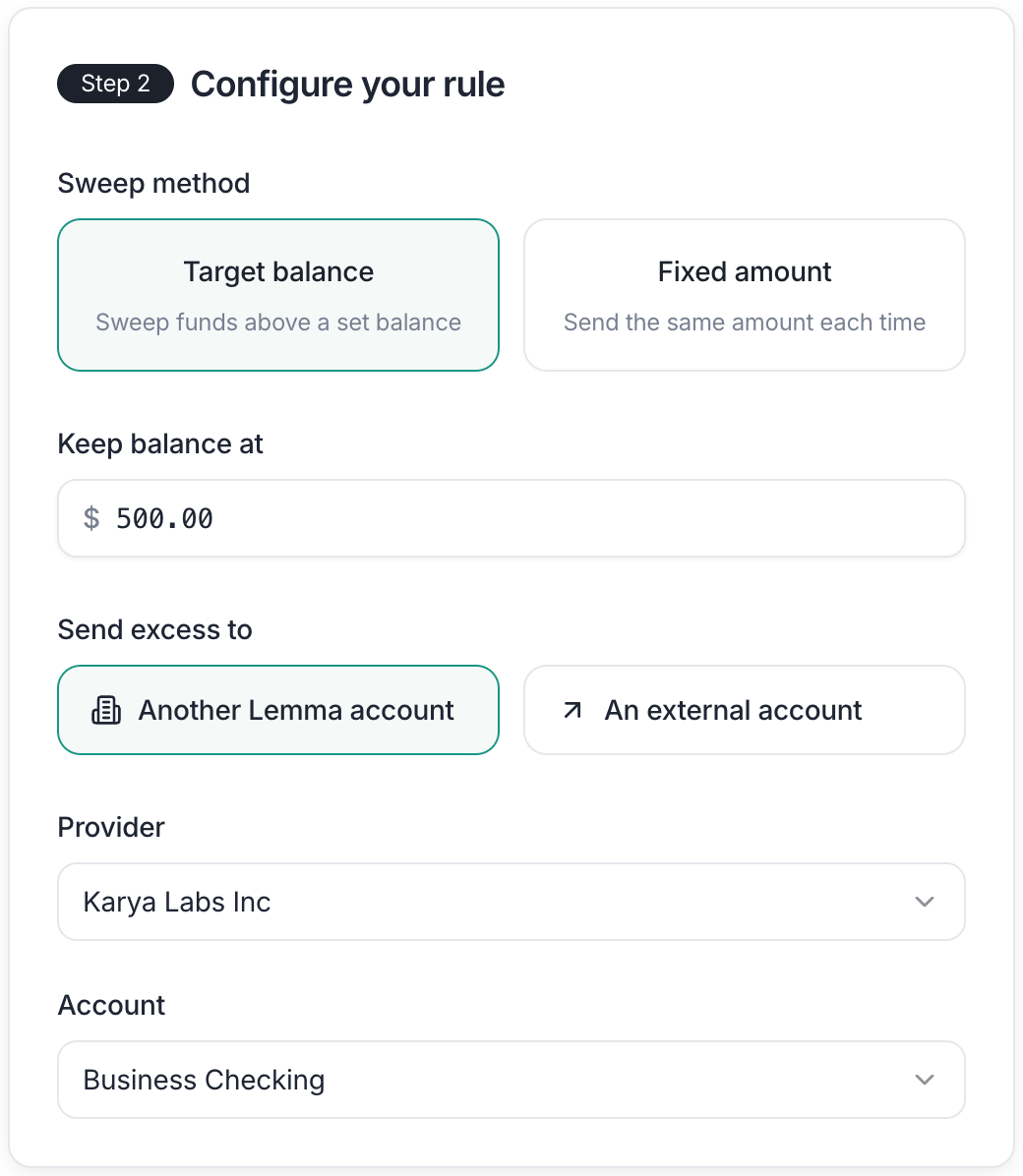
Target balance sweep: keep $500 in the account and send the rest to another Lemma account.
Fixed amount
You can send a specific dollar amount each time the rule runs. This is useful when you need to fund an account by a predictable amount. For example, top up a PC’s operating account with a fixed daily allocation from the MSO. Paired with a monthly schedule, it also covers a payment that is identical every month, like an MSO management fee or a loan repayment. The sweep is skipped entirely when the source account has less than the fixed amount.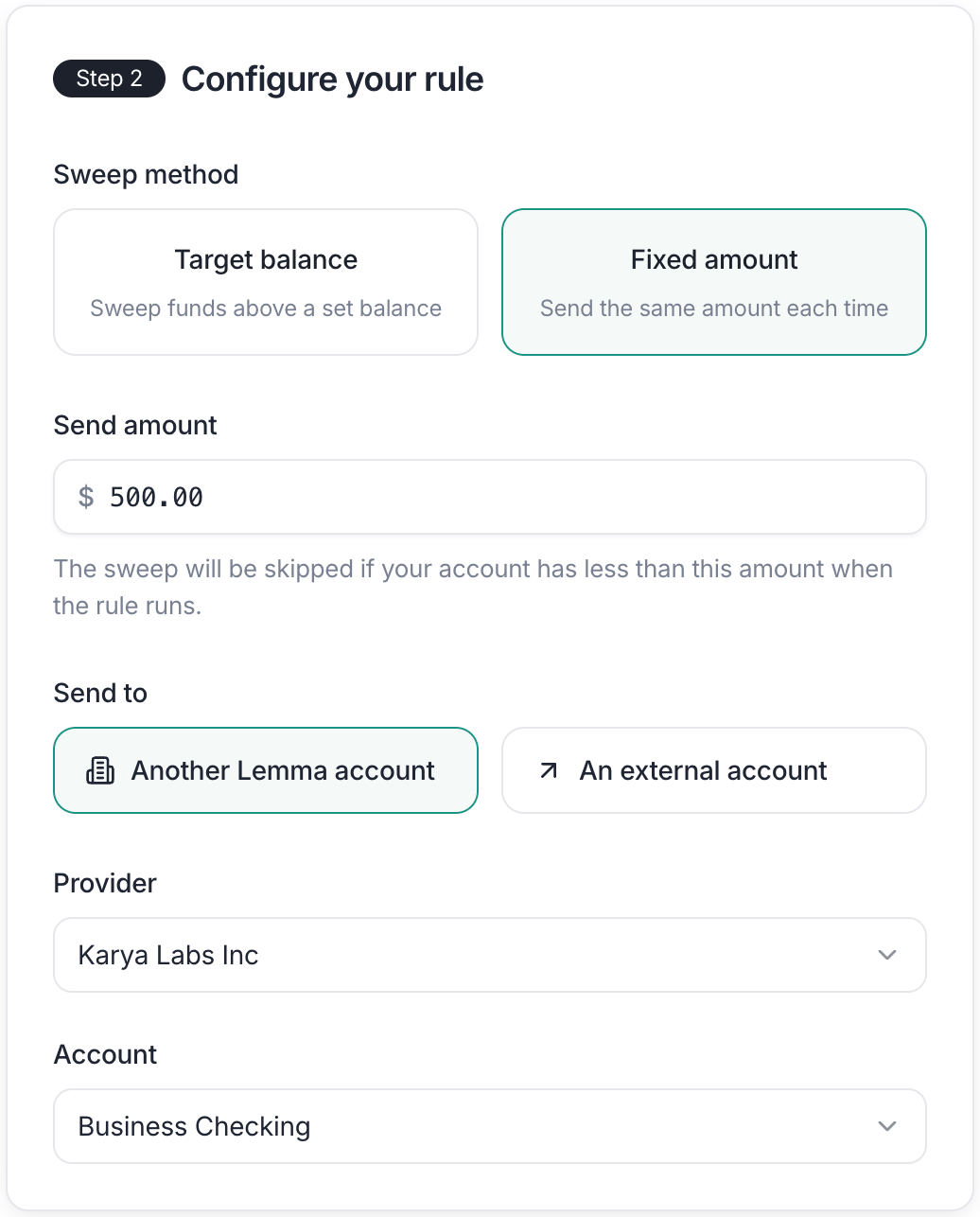
Fixed amount sweep: send exactly $500 each time the rule runs.
Percentage
You can send a share of the source account’s available balance each time the rule runs. Enter a whole percentage from 1% to 99% in Percentage of balance to send. Lemma rounds the transfer down to the nearest cent. We recommend only running percentage-based sweeps once a week or once a month. Running them too often is functionally the same as transferring your entire balance since they are calculated from the available balance rather than as a percentage of incoming deposits.Sweeping to another Lemma account
When both accounts are on Lemma, transfers settle instantly at no cost. This is ideal for MSO-PC structures where the MSO and each PC both bank with Lemma. Select Another Lemma account, then pick the destination entity and account. If your organization only has one entity, the entity dropdown is skipped.Sweeping to an external account
You can also sweep funds to a bank account outside Lemma. Choose your transfer method based on urgency and cost: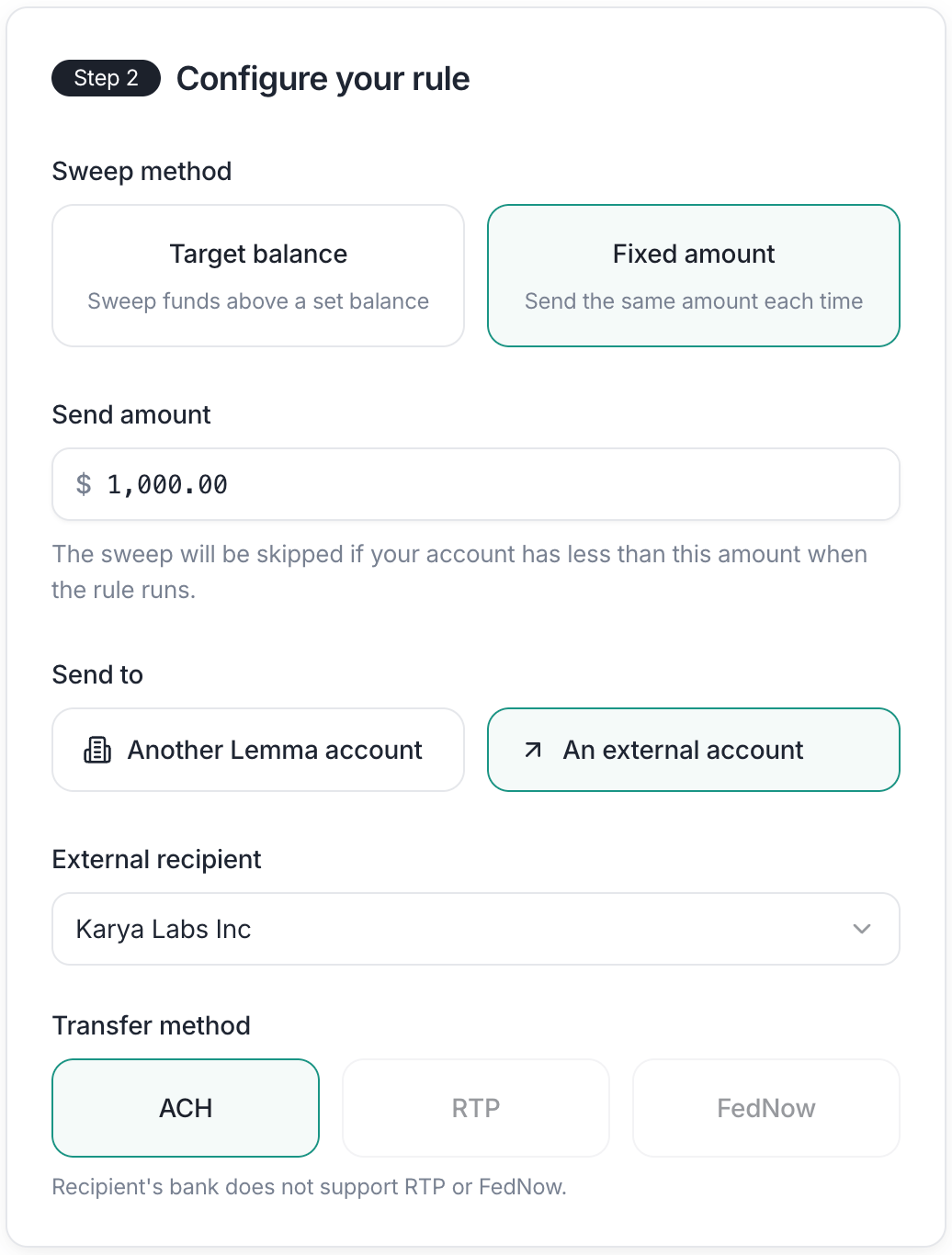
Sweep excess funds to an external account via ACH, RTP, or FedNow.
Setting the schedule
Each rule runs either weekly or monthly. Weekly rules run on the days of the week you pick. Select every weekday, just Fridays, or any other combination. Monthly rules run on the first day of every month. Use this when the payment is the same each month rather than tied to a balance. Either way, you choose what times of day to check the balance. You can add multiple check times — for example, 9:00 AM and 5:00 PM — so excess funds are swept both when the business day opens and after the last deposits settle. ACH transfers only process during banking hours on business days. A sweep that triggers on a weekend or holiday will queue the ACH, but it won’t settle until the next business day. This catches monthly rules a few times a year, whenever the 1st lands on a weekend. If you need funds to move over weekends, use RTP or FedNow instead. Both RTP and FedNow settle in seconds, any day of the week. Lemma remembers your timezone when you create a rule, so a 5:00 PM sweep always runs at 5:00 PM in your timezone. Team members who edit an existing sweep will not be able to change the timezone.Categories and documents
Every sweep transfer can carry the same bookkeeping context as a transfer you send by hand. Set it once on the rule in the Add details step, and Lemma applies it to every run. Both fields are optional.Category
Pick a transaction category such as “MSO Fees” to tag each transfer the sweep makes. Lemma applies the category to the outgoing transaction on the source account. The receiving side is not categorized. If a category is archived after you create the rule, the editor shows the rule with no category and asks you to choose another or leave it blank.Supporting documents
Upload the agreement or invoice that justifies the sweep, such as the management services agreement behind a monthly MSO fee. You can attach up to 10 documents. Lemma attaches them to every transfer the sweep makes, so each transaction explains itself without a separate upload. Who can see the documents depends on the destination:- Another entity on Lemma: the receiving entity sees the documents on its side of each transfer.
- Your own Lemma account: only your team sees them.
- External account: they are for your records only and are never sent to the recipient.