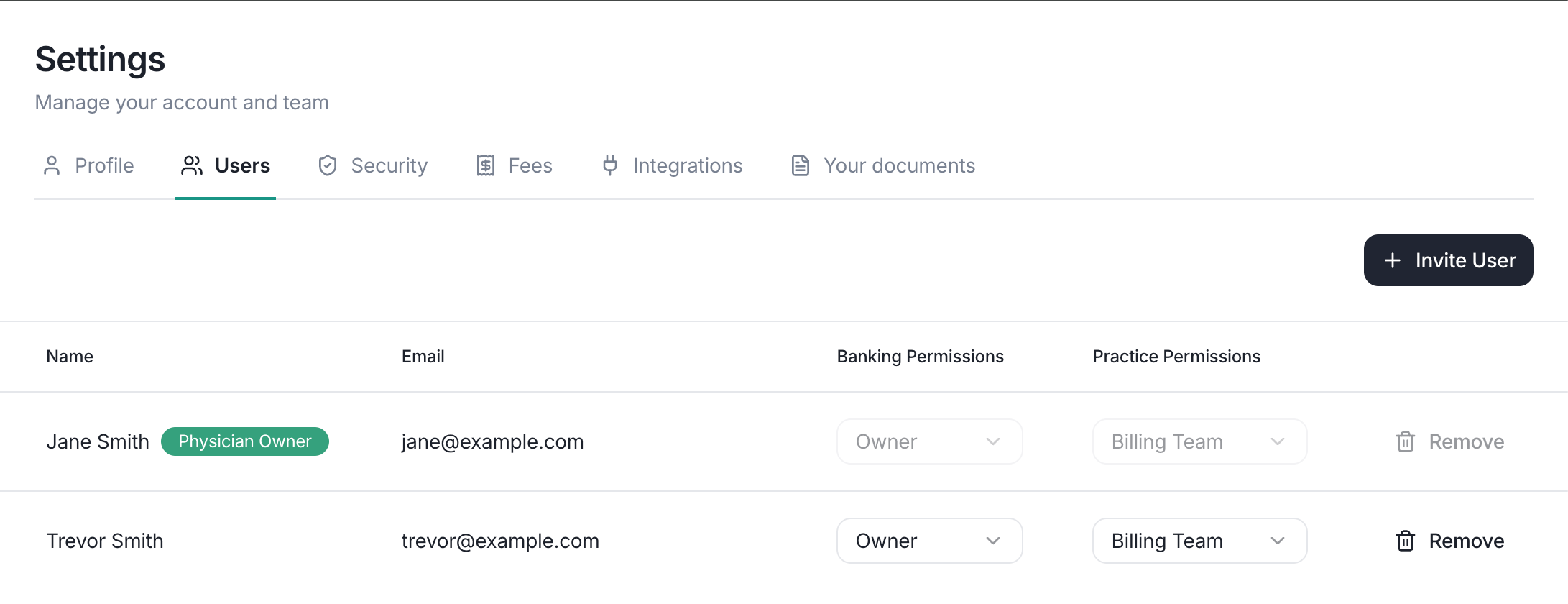
Lemma supports multiple users per organization, each with their own login and role. Owners manage the team from the Users page. Everyone else can see who is on the team and what access they have, but cannot change it.
The team management page showing a list of organization members with their roles.

The users page lists the roles for everyone on your team.

Inviting a team member

1

Start the invitation

Select Invite user from the Users page and enter the person’s email address.
2

Choose their access

Pick a banking role, and optionally the Billing Team practice permission. To keep them out of some of your bank accounts, choose the accounts they can see.
3

Send

They’ll receive an email with a link to join your organization.
Pending invitations are listed on the Users page until the recipient accepts. Owners can resend or cancel an invitation from its row actions.

Changing a member’s access

Open the row actions menu on the member’s row and choose Edit access to change their banking role, practice permission, or visible bank accounts. Lowering a member’s role does not cancel their debit card. Setting their banking role to No access removes banking access but keeps practice access; to remove someone entirely, remove them from the organization instead. An organization always keeps at least one owner. You can lower your own role only when another owner already has access, and once you do, another owner must restore it for you. If an action is disabled for a member, hover over it to see why.

Removing a team member

Open the row actions menu on the member’s row, choose Remove from entity, and confirm. Their access is revoked immediately, they will no longer be able to view any data for your organization, and their debit card is canceled. Removal cannot be undone; to restore access, an owner must invite the member again. If the member belongs to other organizations on Lemma, removing them from yours leaves those memberships untouched.