

Find your account details
Go to the Accounts page and select the account you want to fund. Its account number and routing number are at the top of the page. Every account has its own pair, so check you are looking at the account you intend to fund if your entity has more than one.Download the settlement instructions
The Account Information card on the account’s page has everything a sending bank asks for, already filled in:- Settlement Instructions: your account and routing numbers, the beneficiary name and address, and the receiving bank’s details. This is the document to use when setting up a wire or an ACH credit.
- Void Check: a voided check PDF, for a bank or payroll provider that requires one to set up an ACH transfer.
- Account Verification Letter: an official letter from Lemma’s banking partner confirming account ownership, for any form that asks you to prove the account is yours.
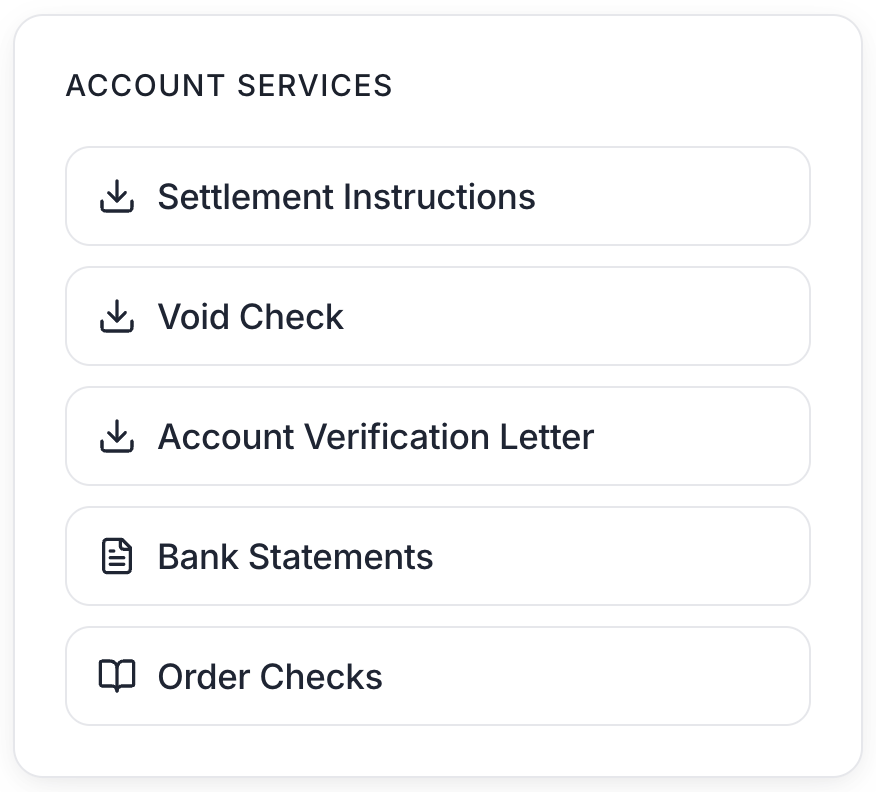
The Account Information card on an account's detail page.
Send the funds from your other bank
Banks will usually offer two ways to send funds: entering information directly or linking the Lemma account through Plaid.Option 1: Enter your account details manually
Banks will often let you send an ACH or RTP transfer with just the routing number and account number mentioned above. Wire transfers will also ask for the receiving bank’s address. Use Core Bank’s address below: Core Bank17807 Burke Street
Omaha, NE 68118
Option 2: Link your account with Plaid
Some banks ask you to add Lemma as a contact or external account. Search for Lemma and log in. Do not search for Core Bank. Core Bank is Lemma’s banking partner, but Lemma needs to be linked directly. If your bank asks for the account type, a Lemma account is a business checking account.Move money between your own Lemma entities
If you already hold another entity on Lemma, funding from it is simpler. Transfers between Lemma accounts you have access to are instant, free, and available 24/7, including between two separate entities. Go to Move money > Transfer within Lemma, pick the source and destination accounts, and confirm. See Own multiple entities for how linked entities work.Fund by check
You can also deposit a check from your phone. Check deposits always get a short hold, and holds are only released on business days, so this is the slowest of the options. See Mobile check deposit.When the money is available
An incoming transfer shows on your Transactions page once it arrives. Your available balance is what you can actually spend, and it can sit below your posted balance while a deposit is on hold or funds are set aside for a payment already in flight. Hover the info icon beside the available balance to see exactly what is held.Next steps
Accounts
Account documents, statements, and balance history.
Send externally
Send payments out once your account is funded.
Migrate your payers
Redirect insurance payments to your Lemma account.
Cards
Issue virtual and physical debit cards on the funded account.