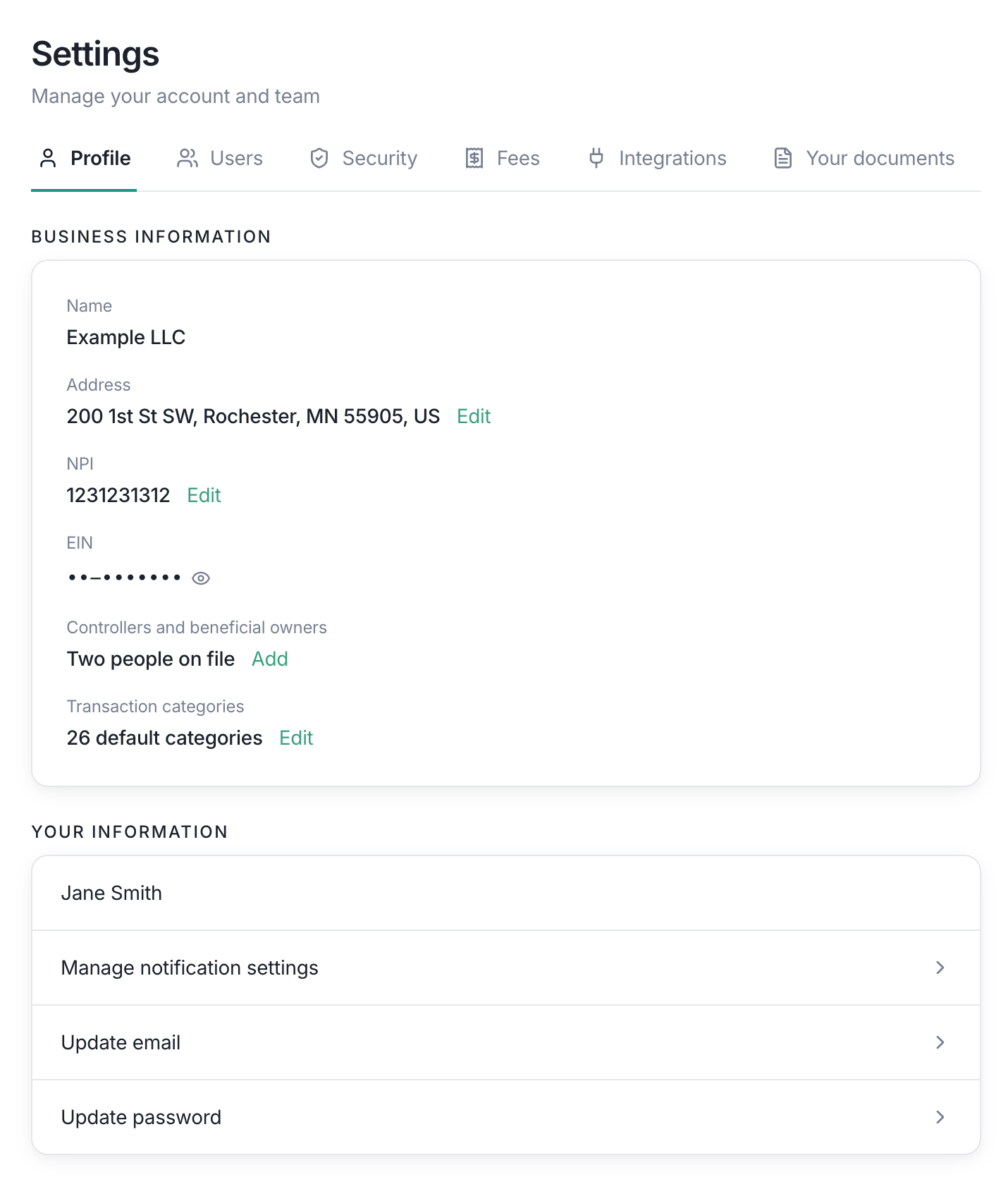
Profile settings has two sections: Business Information for the selected entity and Your Information for your Lemma user account.
Lemma profile settings page showing business information and personal information links.

Click the green links to edit or manage the corresponding setting. The available links depend on your role.

Business Information

Entity name

The entity name is shown for reference. It identifies the business whose settings you are viewing.

Address

Owners only The address shown here is the entity’s business address. Click the green Edit link next to Address, update the required address fields, and select Save. Select Cancel to discard an edit in progress. You can edit your entity’s address directly from this page. Updating the address does not change the address of another entity in your account.

NPI

Owners only The NPI is the entity’s 10-digit National Provider Identifier. Select Edit, enter a valid NPI, and choose Save. Lemma validates the check digit before saving. An invalid value stays in the dialog so you can correct it.

EIN

Owners only Owners can reveal the entity EIN using the eye control. The EIN is masked until you choose to reveal it. Other roles do not receive the reveal control.

Controllers and beneficial owners

Owners only This section shows how many controllers and beneficial owners are on file. Select Add to open the owner information flow and add another person to the entity’s records. If you need to change the licensed professional owner on file, contact Lemma.

Transaction categories

The Profile page links to transaction category settings. All members who can work with transactions can apply an existing category. Accounting and owners Accounting members and owners can create, rename, and archive custom categories. Default categories cannot be renamed or archived. See Transaction categories for the full workflow.

Your Information

Your name

Your name comes from your Lemma user profile and is shown at the top of this section.

Notification settings

Select Manage notification settings to customize the notifications Lemma sends you. You can configure approval, alert, and transaction notifications. You can also choose whether to share these preferences across all entities you access.

Email address

Select Update email to change the email address used for your Lemma account. For security, you will need to click a link in both your old and your new email addresses before your email changes.

Password

Select Update password to change your password. Use a strong, unique password and never share it with another team member.

What can I edit?

The Profile page is intentionally mixed-access. Everyone with access to the entity can see the business and personal information that applies to them, while entity-level changes are protected by the owner permission. If a green edit link is missing, another owner must make that change.